



User guide
How to find any part for your TM
Three ways to get to the right part fast: search by year and model, search directly by part number, or browse TM Accessories with filters.
Finding parts with the Partsfinder
The Partsfinder shows the original factory diagram for your model, with every part numbered and ready to order.
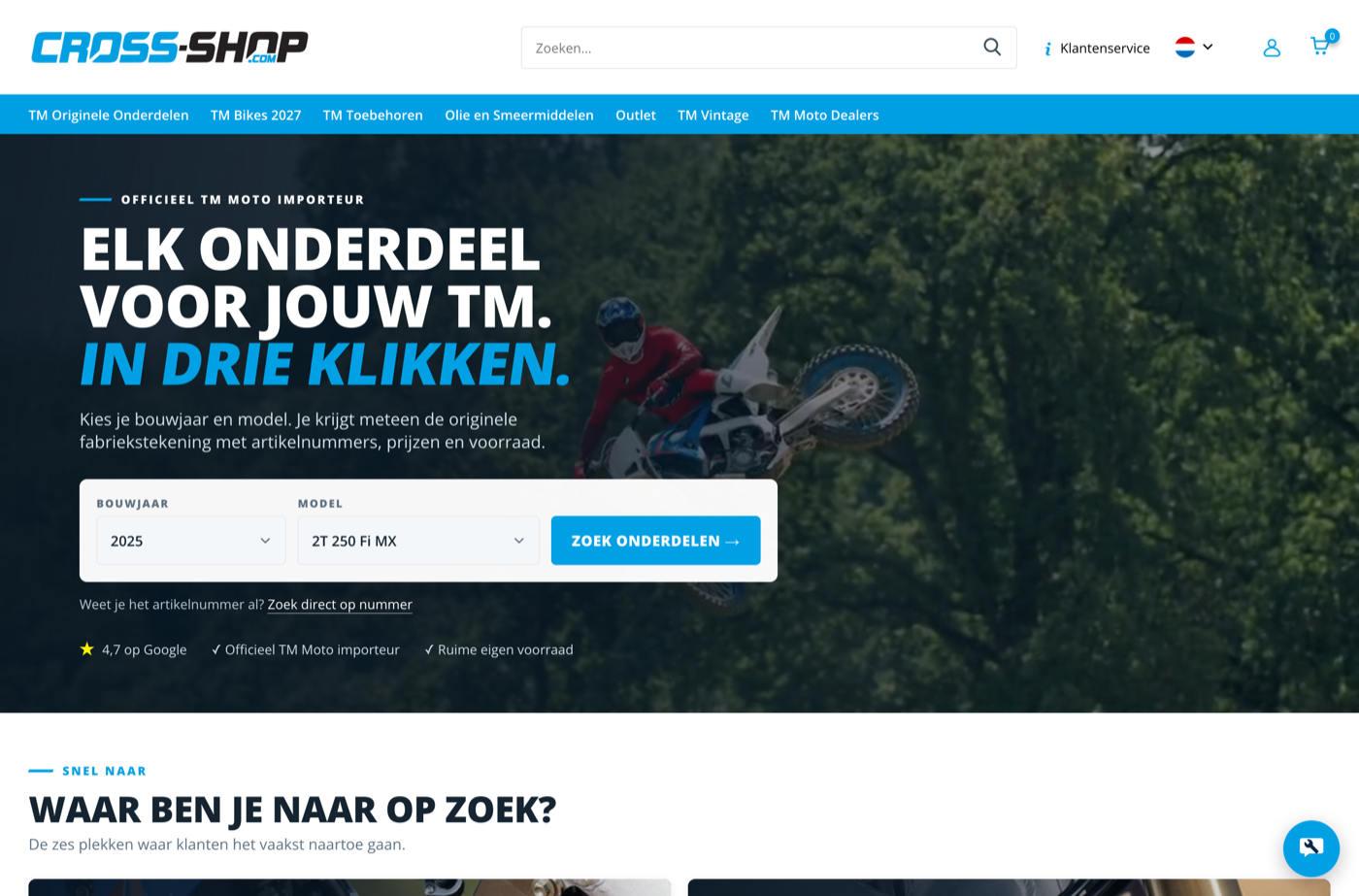
Choose your year and model
Go to the homepage and select your year, then your model, in the search box. Then click ‘Find parts’.
Pick the right diagram
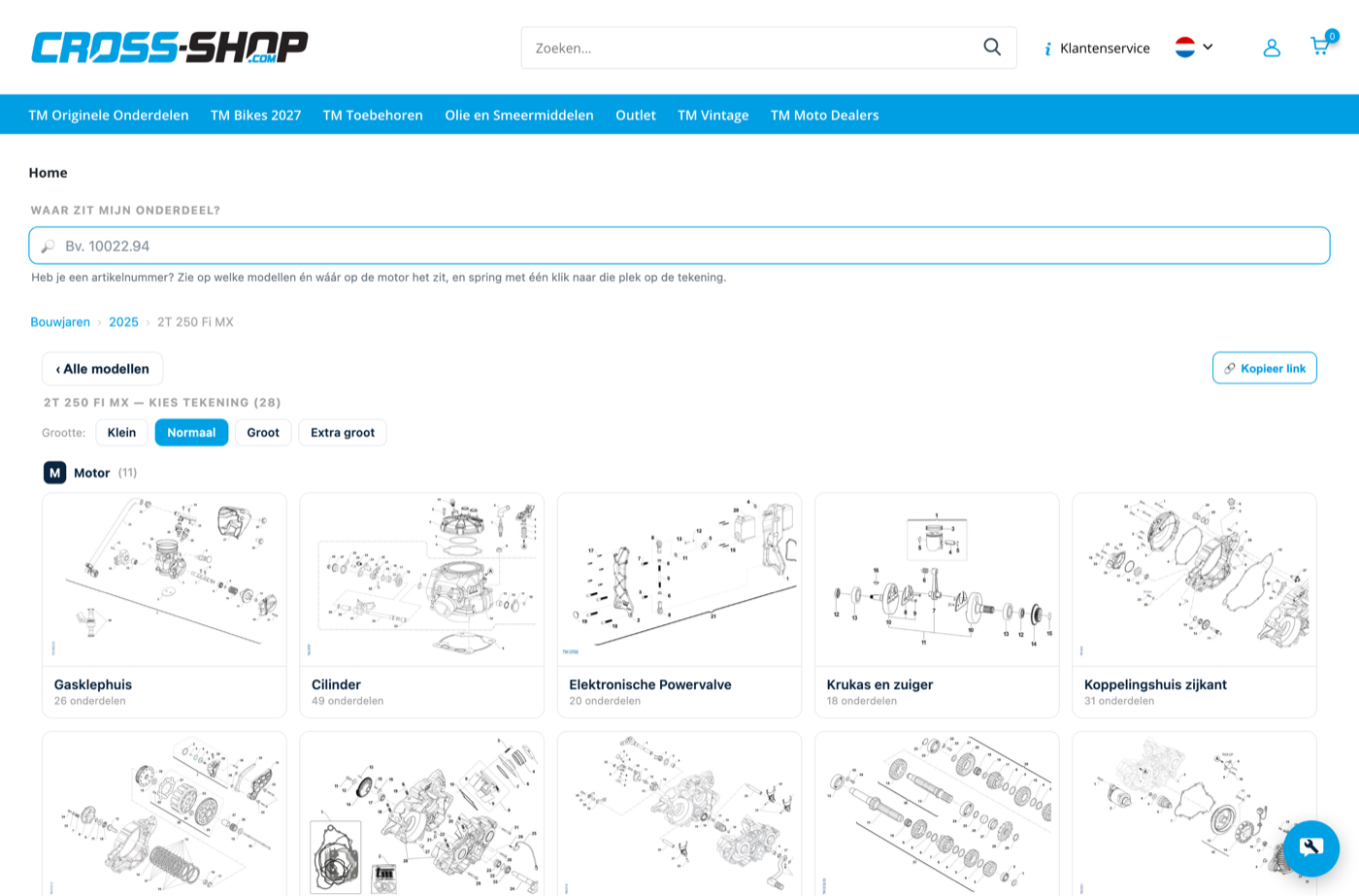
You'll see all parts diagrams for this model, grouped by main assembly. Click the diagram your part is on — for example ‘Plastics en zadel’.
Find the part on the diagram
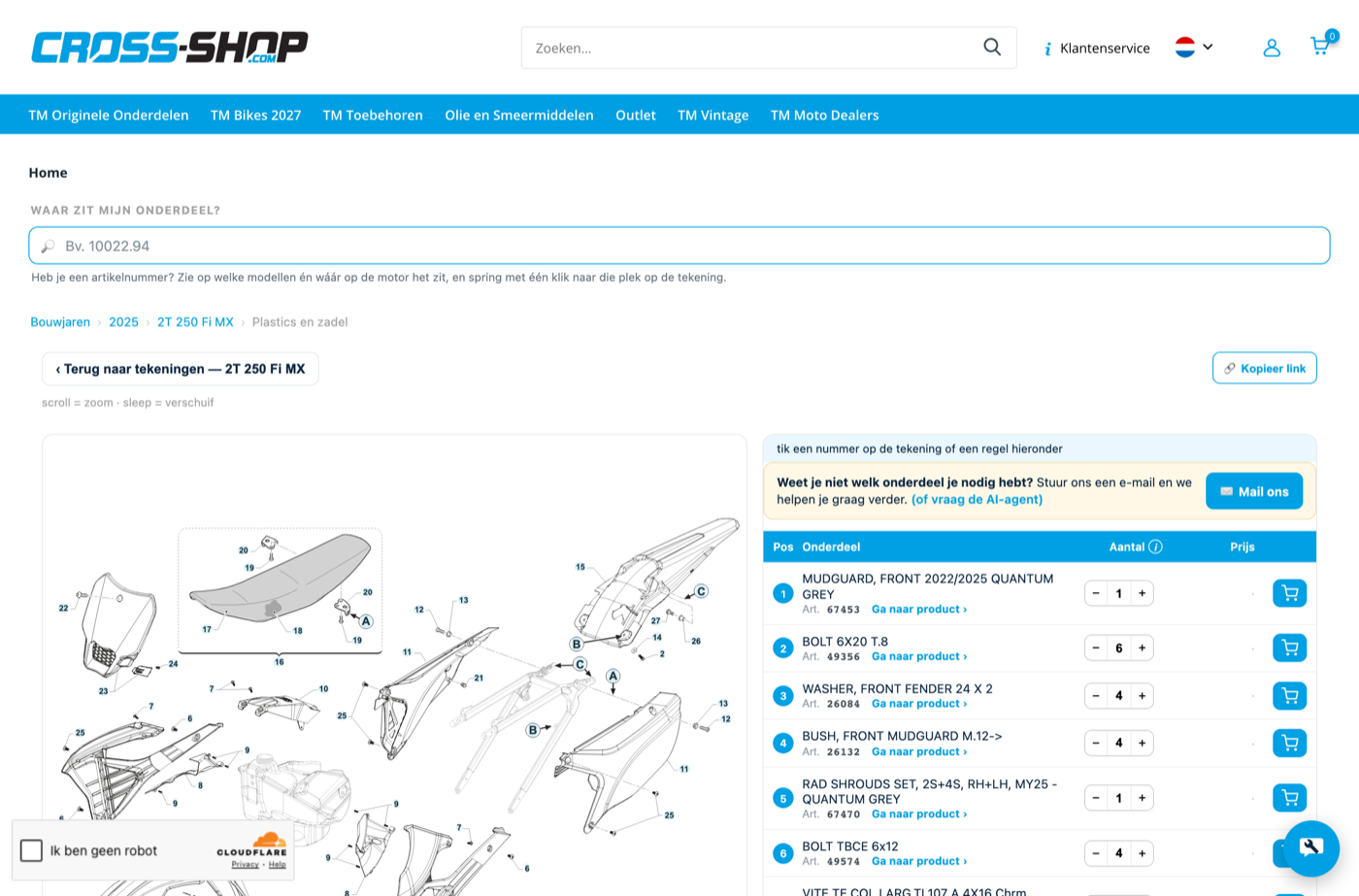
On the right is a list of every part on the diagram, each with a position number matching a number on the drawing.
Set the quantity and add it
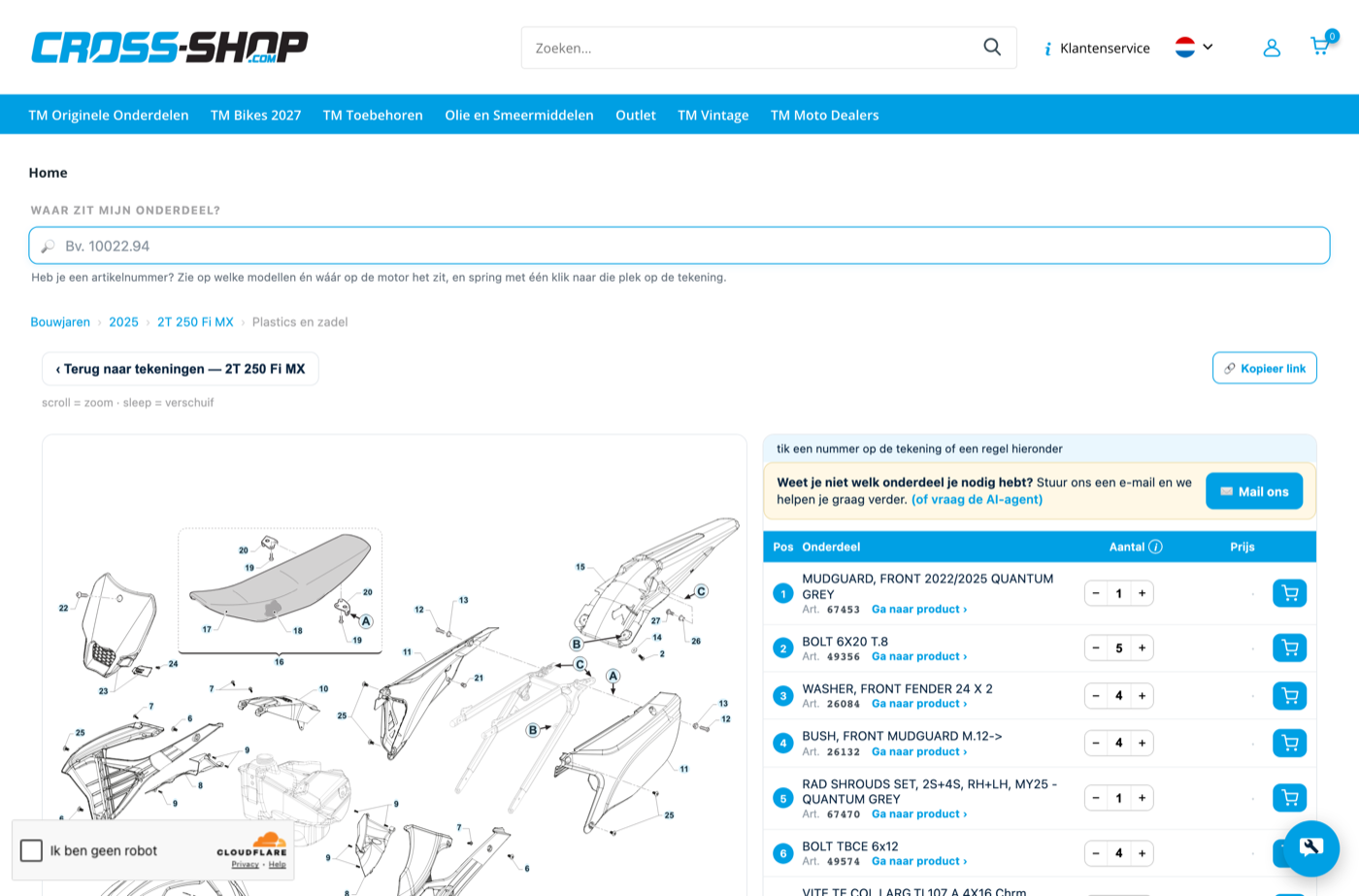
Adjust the quantity if needed and click the blue cart icon next to the line. The part is added right away.
Already have a part number? See straight away which models it fits
If you have a part number, you don't need to pick your model first. The ‘Waar zit mijn onderdeel?’ field searches directly by number.
Type in the part number
You'll immediately see which models and model years use this part.
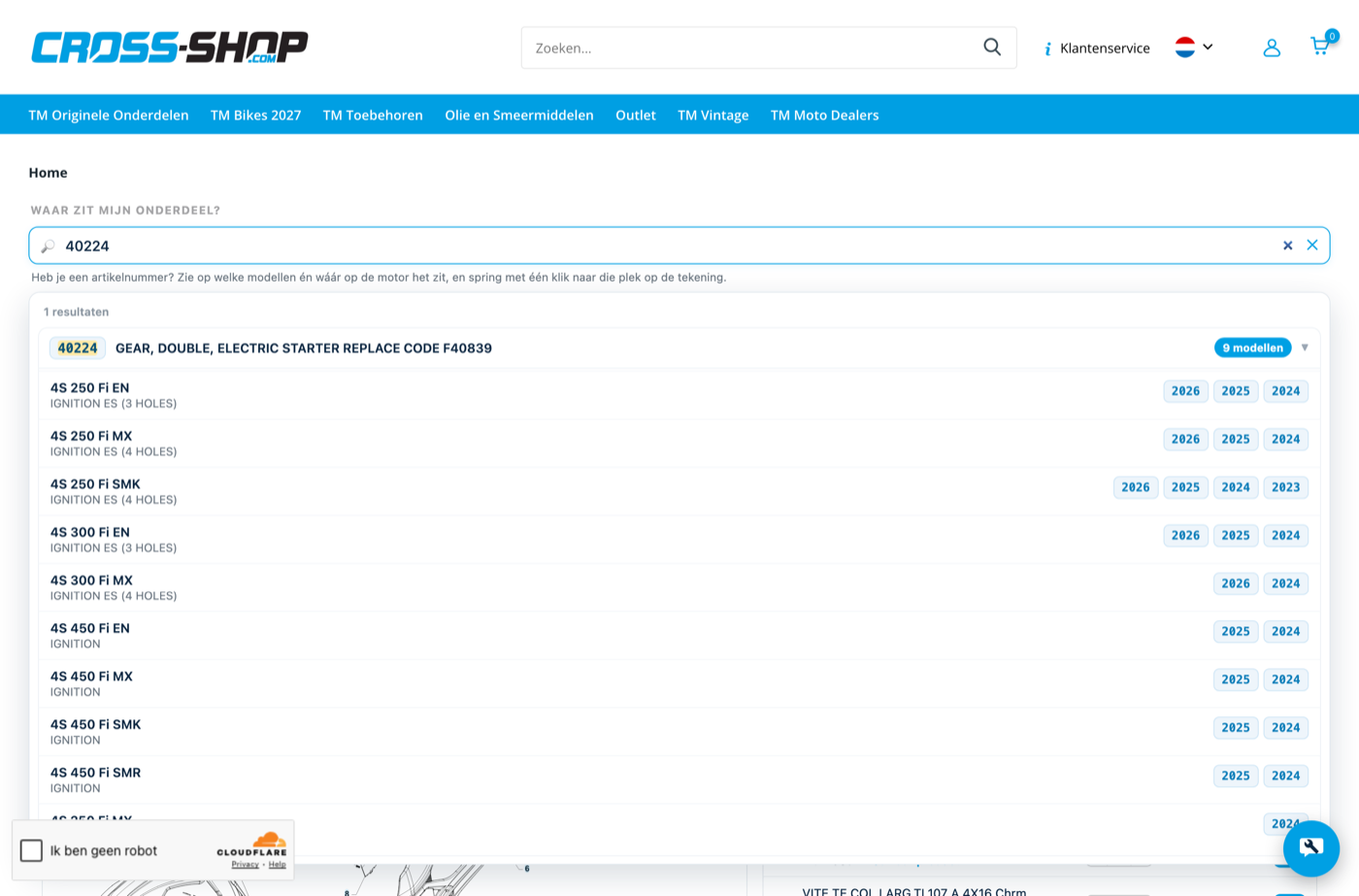
Jump straight to the exact spot on the diagram
Click a model or year badge. You'll jump straight to the right diagram, with the part highlighted in yellow.
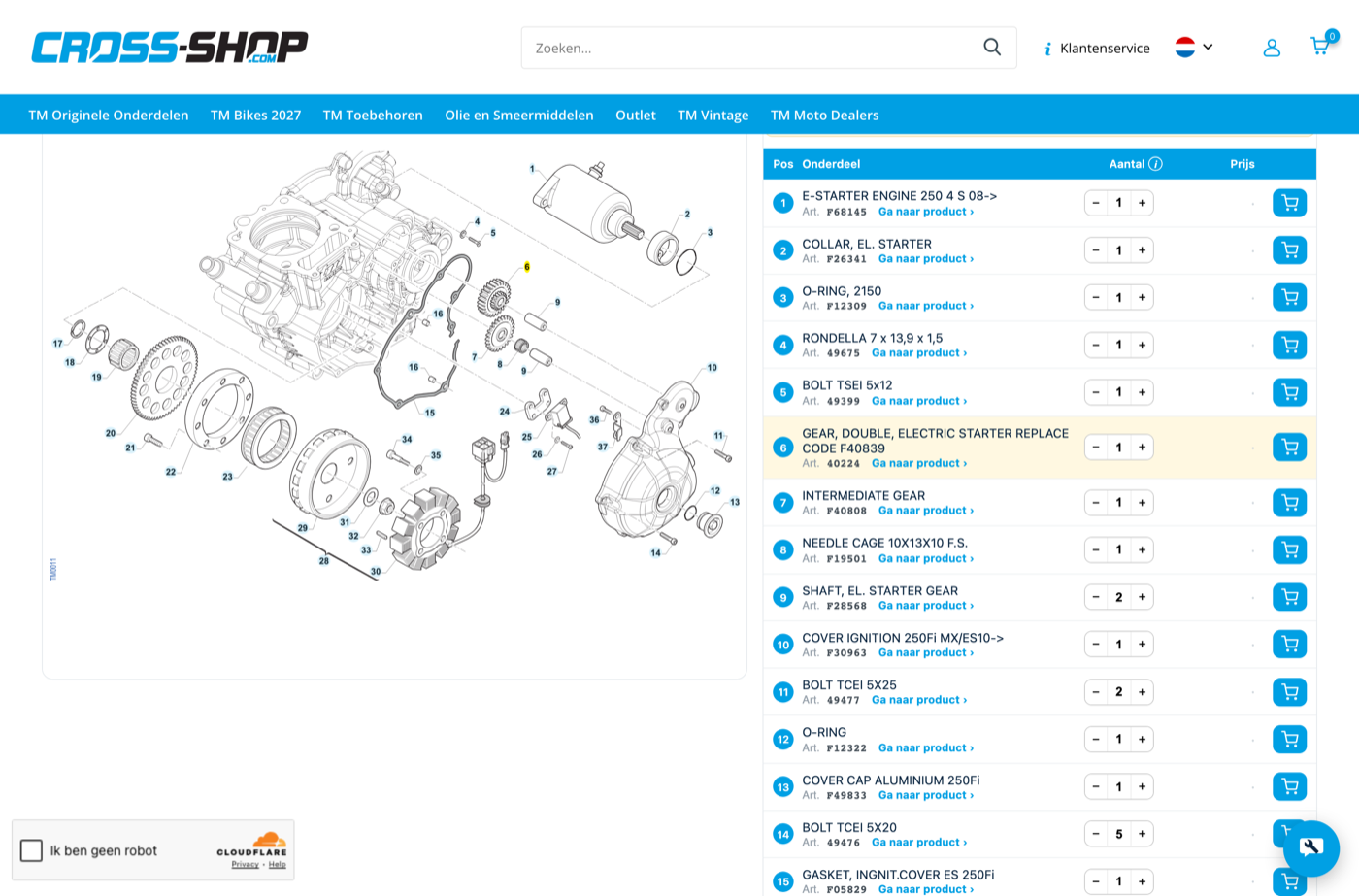
TM Accessories: filter by brand, type and model
Accessories sit apart from the Partsfinder under TM Accessories, organised by category and brand.
Pick a category
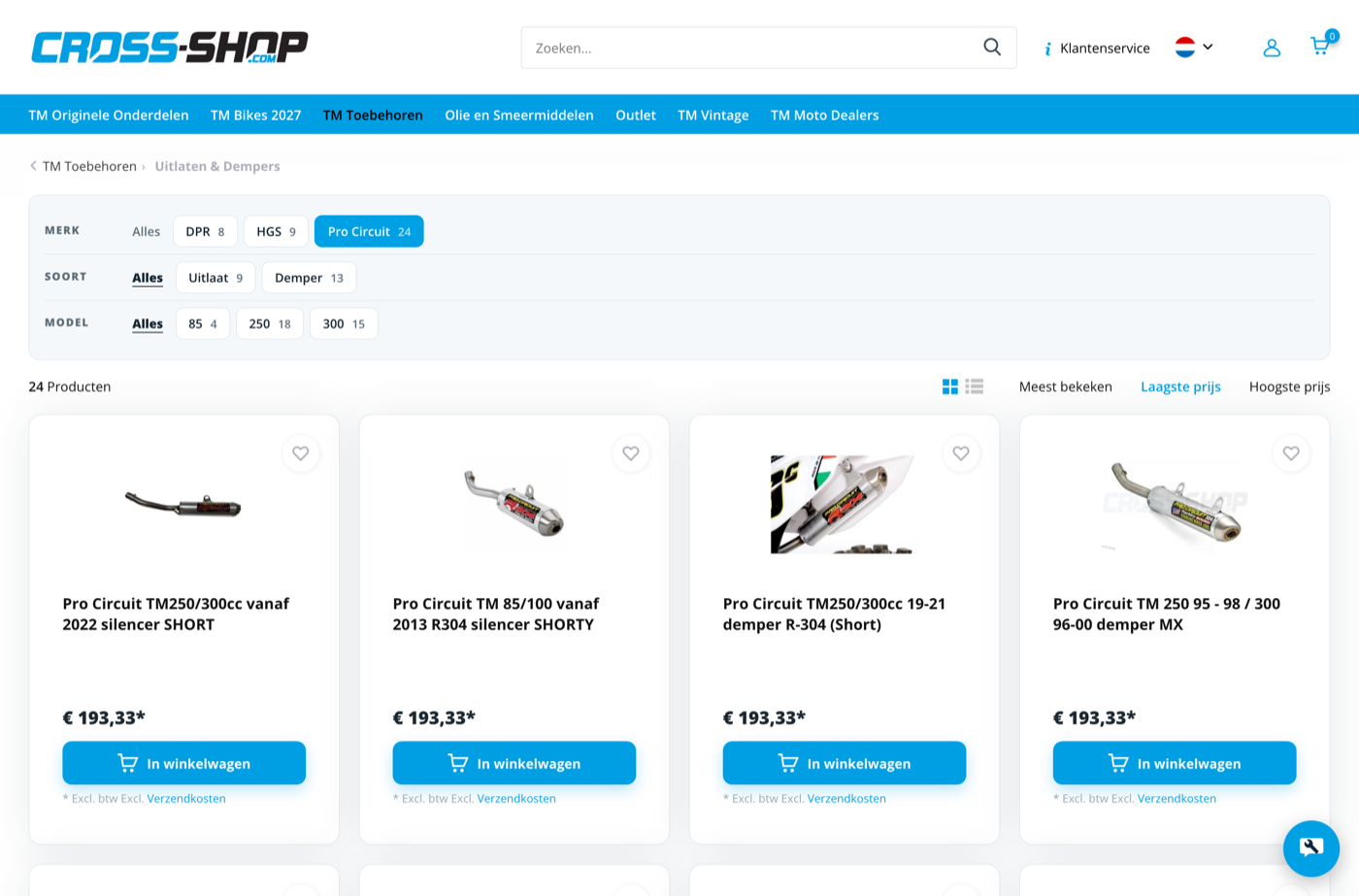
Go to TM Accessories in the main menu and click a tile, for example ‘Uitlaten & Dempers’.
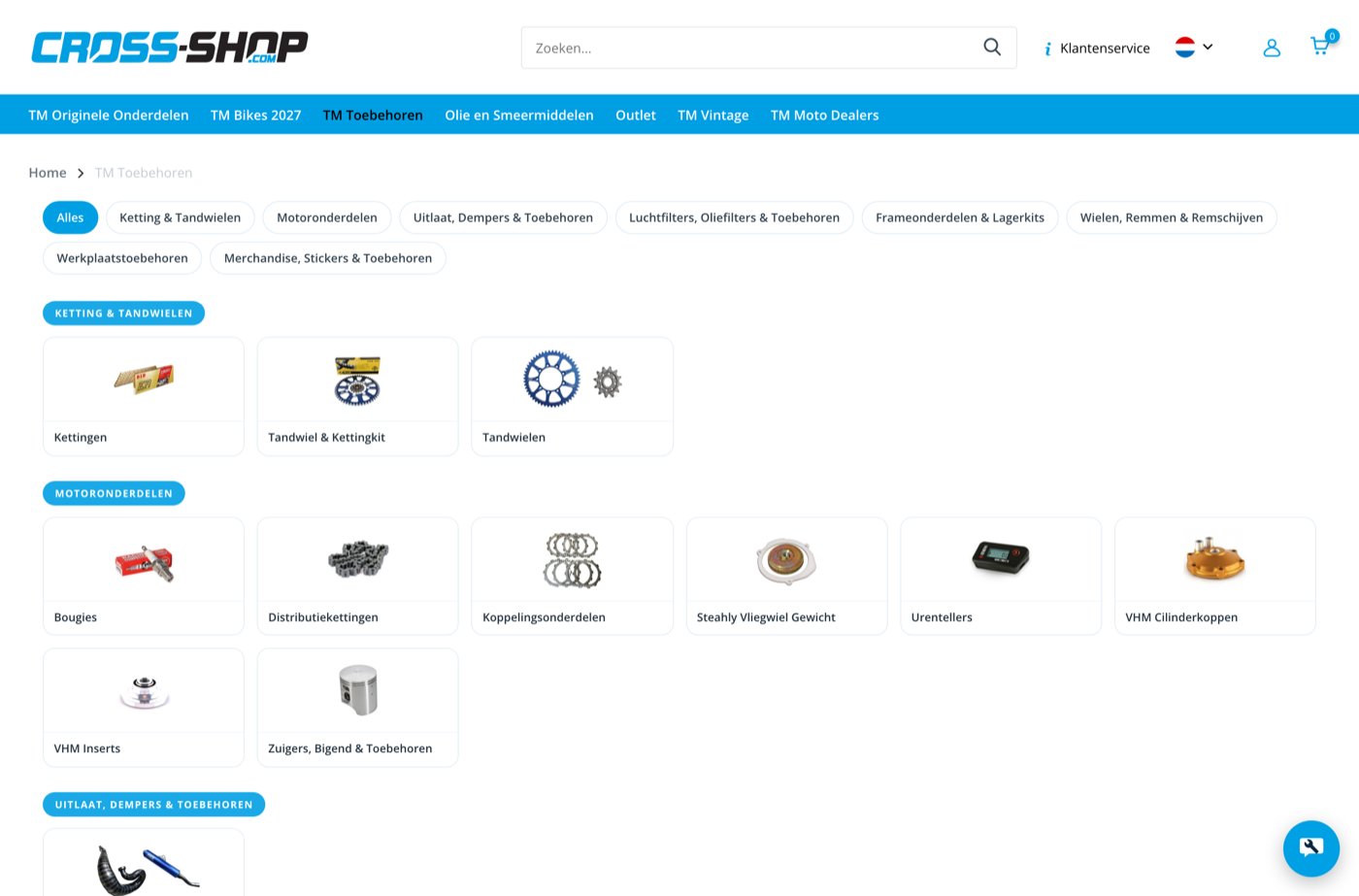
Filter by brand, type and model
At the top you'll see three filter rows: Brand, Type and Model, with the matching product count in brackets.
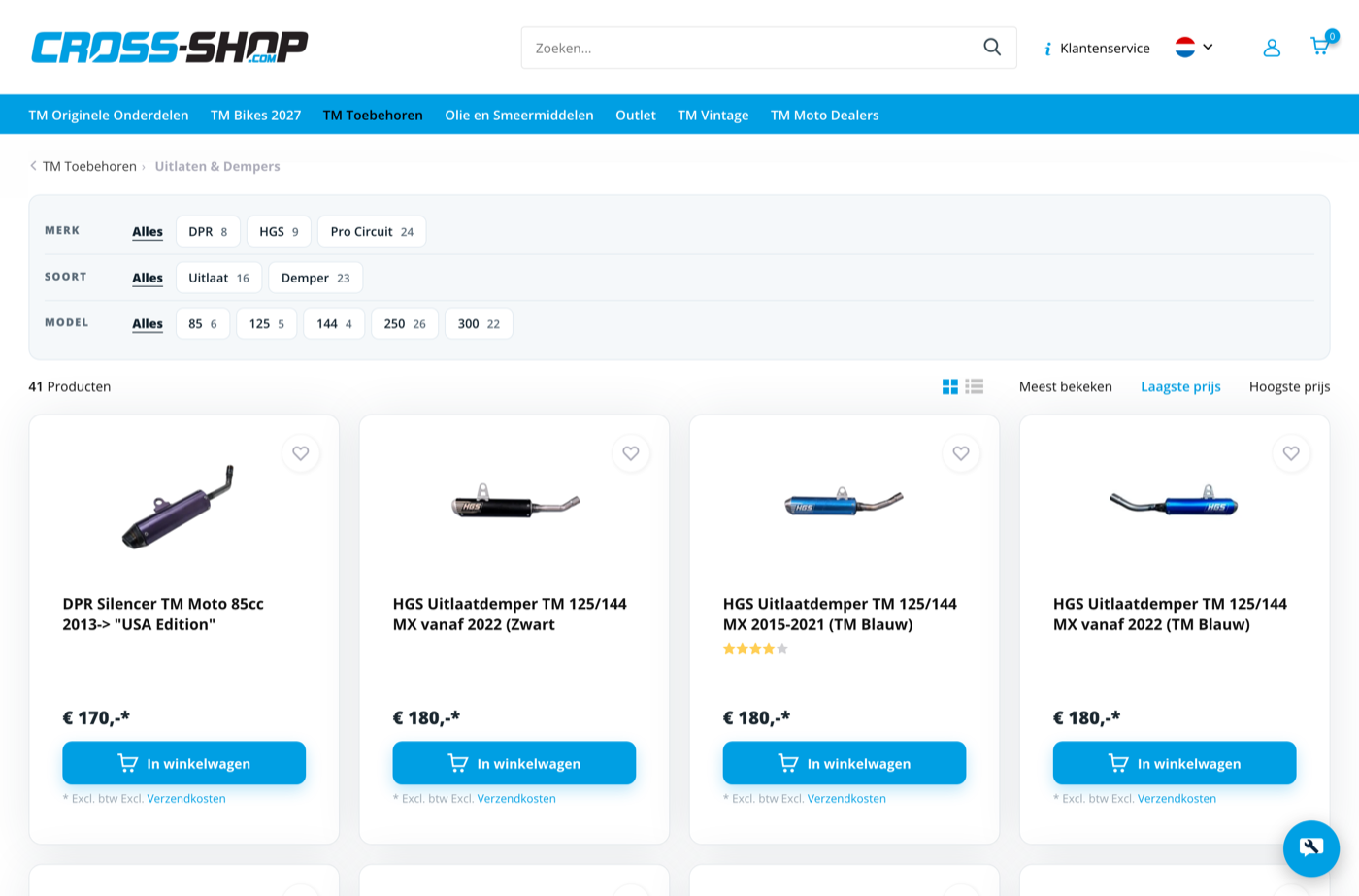
Combine filters
Click a filter — it turns blue — and the list updates automatically. You can combine filters from more than one row.
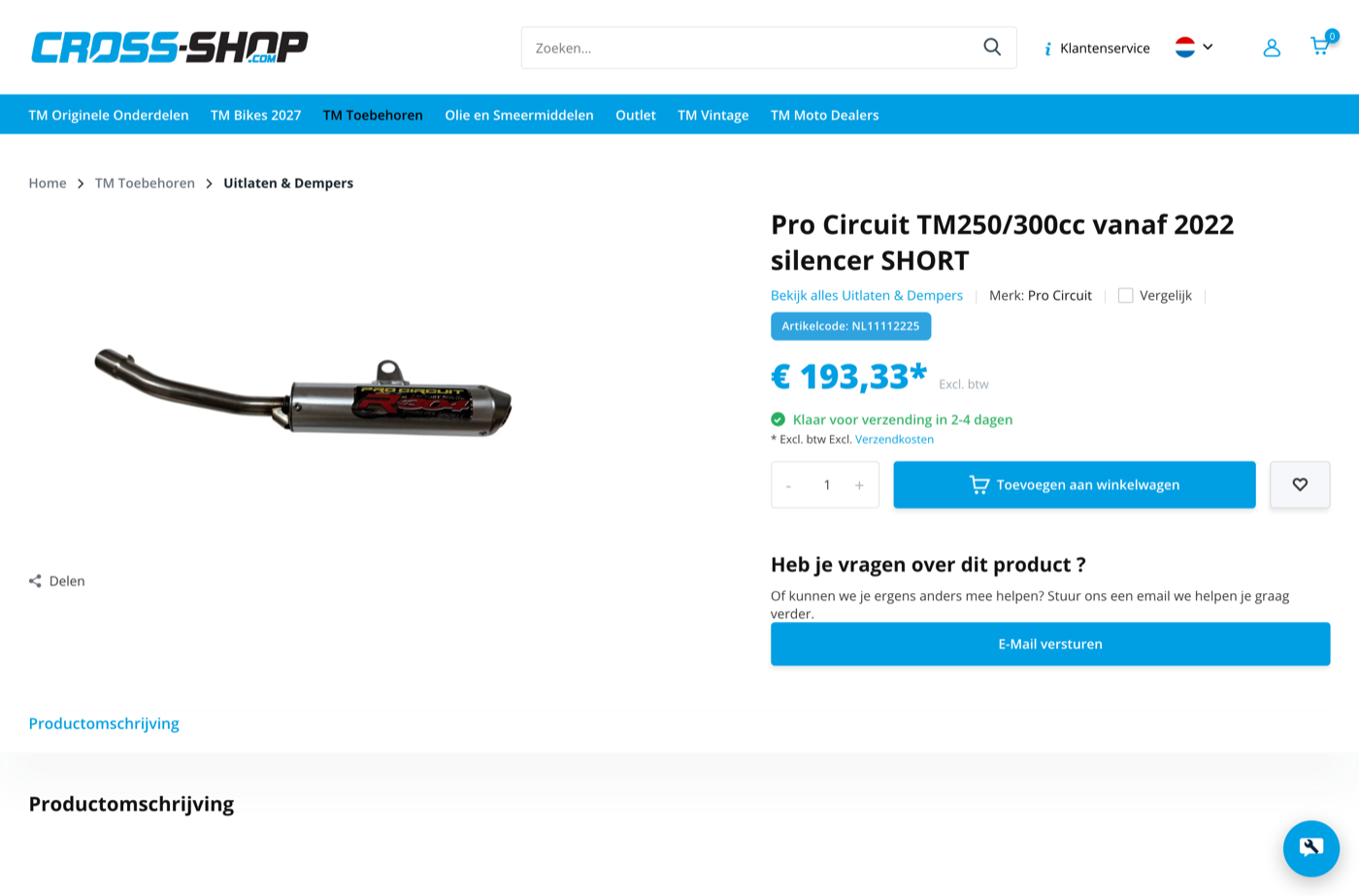
View and add a product
Click a product for details, part code and price, then click ‘Toevoegen aan winkelwagen’.
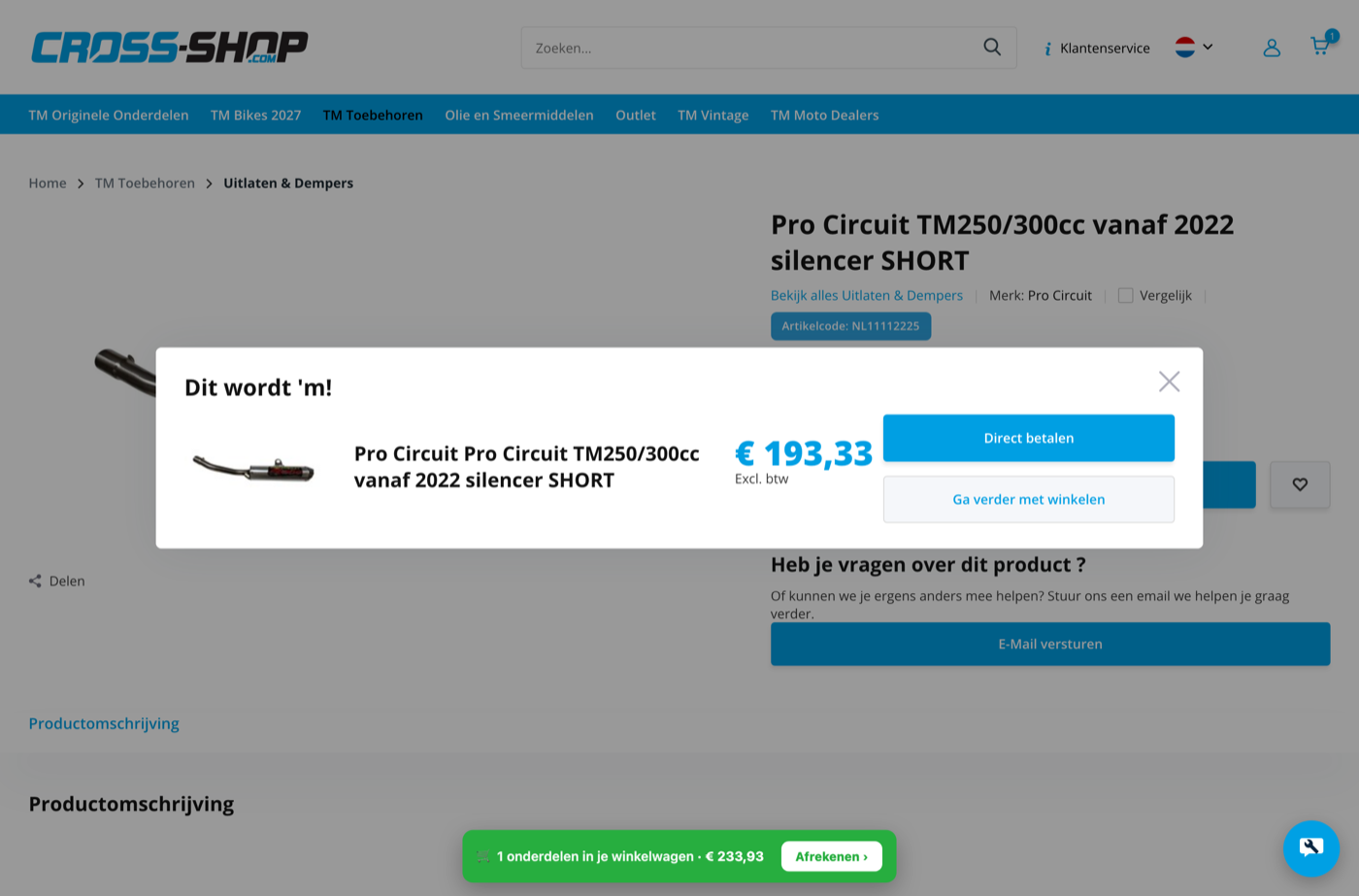
Confirmation in your cart
You'll see a confirmation on screen and can go straight to checkout or keep browsing.
Can't find it?
Email us your bike's year and model (a photo helps too) and we'll look it up for you.
Email [email protected]